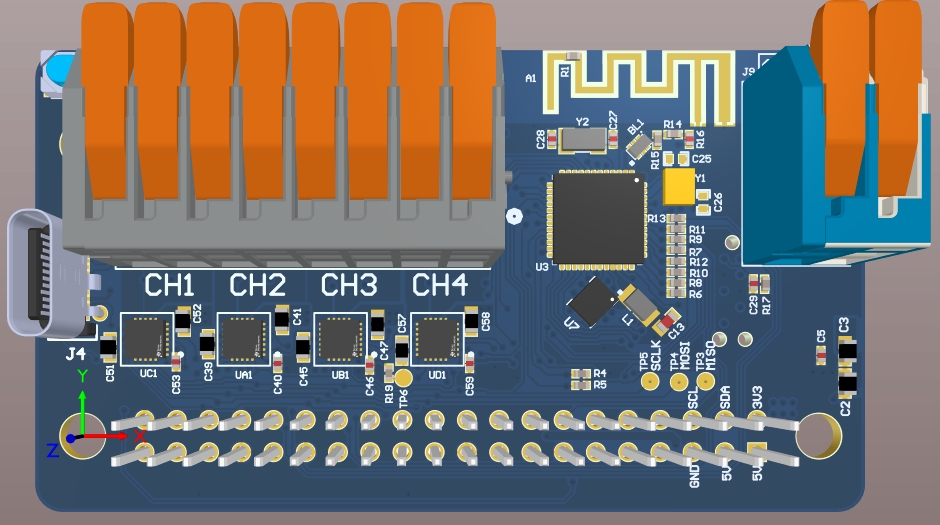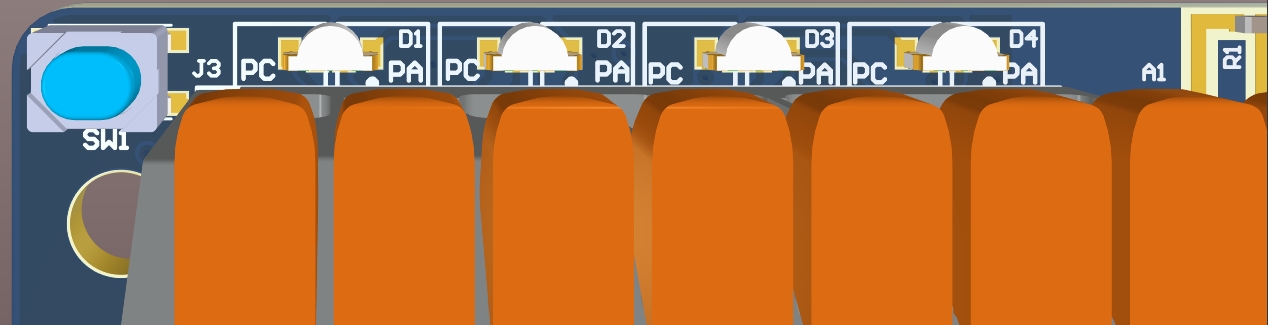
The device boots as a BLE Central device after POR by default. D1 will be BLUE.
Press and hold push button (SW1) during POR to boot as a BLE Peripheral Device. D1 will be GREEN.
This characteristic is used to send telemetry data to the host via BLE notifications. Each 20-byte notification has the following format:
This packet contains the raw IMU data and TOF distance measurement in mm (if active).
The following code snippets show how to convert the raw int16 accelerometer and gyroscope data to their respective units:
This packet contains the motor current measurements in A.
The following table outlines BLE commands supported by the Rover. Refer to respective section for more information.
**Legacy MotorHAT BLE commands.
Command: 0x0003
Mailbox:
Byte 0:
Description: Motor Throttle
Command: 0x0004
Mailbox:
Byte 0:
Description: Motor Throttle
Command: 0x0005
Mailbox:
Byte 0:
Description: Motor 1 Throttle
Command: 0x0007
Command Response(s)
MDRDIOPROFILE_CMDRSP_SUCCESS
MDRDIOPROFILE_CMDRSP_FAILURE
Enables/disables optional on-board/off-board peripherals.
If successful, device performs a power-on-reset (POR) after 500 ms.
Command: 0x000D
Mailbox:
Byte 0:
Description: Peripheral ID
Command: 0x0010
Mailbox:
Byte 0:
Description: Motor Throttle
Command: 0x0011
Mailbox:
Byte 0:
Description: Motor Throttle
Command: 0x0012
Mailbox:
Byte 0:
Description: Motor 3 Throttle
Command: 0x0013
Mailbox:
Byte 0:
Description: Motor 1 Throttle
Command: 0x0014
Mailbox:
Byte 0:
Description: Motor 1 Throttle
Performs a power on reset (POR) after 1 second.
Command: 0x0015
Command Response(s)
MDRDIOPROFILE_CMDRSP_SUCCESS
MDRDIOPROFILE_CMDRSP_FAILURE
Does nothing. Can be used to poll telemetry data safely.
Command: 0x0016
Command Response(s)
MDRDIOPROFILE_CMDRSP_SUCCESS
Sets the dead zone for both the left and right sticks of the controller.
For example, if dead zone is set to 100 (dec), a stick value that falls within range -100 <= stick value <= +100 will be set to 0.
Analog sticks experience stick drift as they experience heavy use. Therefore, it is typical for the user to increase the dead zone to prevent false positives.
Command: 0x0017
Mailbox:
Bytes 0-1:
Description: Left Stick X Dead Zone (+/-)
Sets the gain of the Current Sense Amplifier (CSA) for each of the motor channels.
If successful, device performs a power-on-reset (POR) after 500 ms.
Command: 0x0018
Mailbox:
Byte 0:
Description: Motor 1 CSA Gain
This enables/disables telemetry data which consists of on-board sensor data and/or active, off-board peripherals (i.e. MODI) data.
If enabled, UART Command Response frames will contain sensor data. When device is in the Peripheral state and paired with via BLE, telemetry data will be sent in the form of BLE notifications via the Unsolicited Data characteristic. Refer to for more information.
If disabled, UART Command Response frame sensor data fields will be zero. No BLE notifications will be sent.
When in BLE Peripheral mode, telemetry will automatically be disabled upon link termination. Control Telemetry command will need to be resent by host upon link re-establishment to re-enable telemetry BLE notifications.
Command: 0x0019
Mailbox:
Byte 0:
Description: Enable/Disable
This section outlines the UART functionality of the device.
Baud Rate: 115200
Data Bit(s): 8
Stop Bit(s): 1
Parity: None
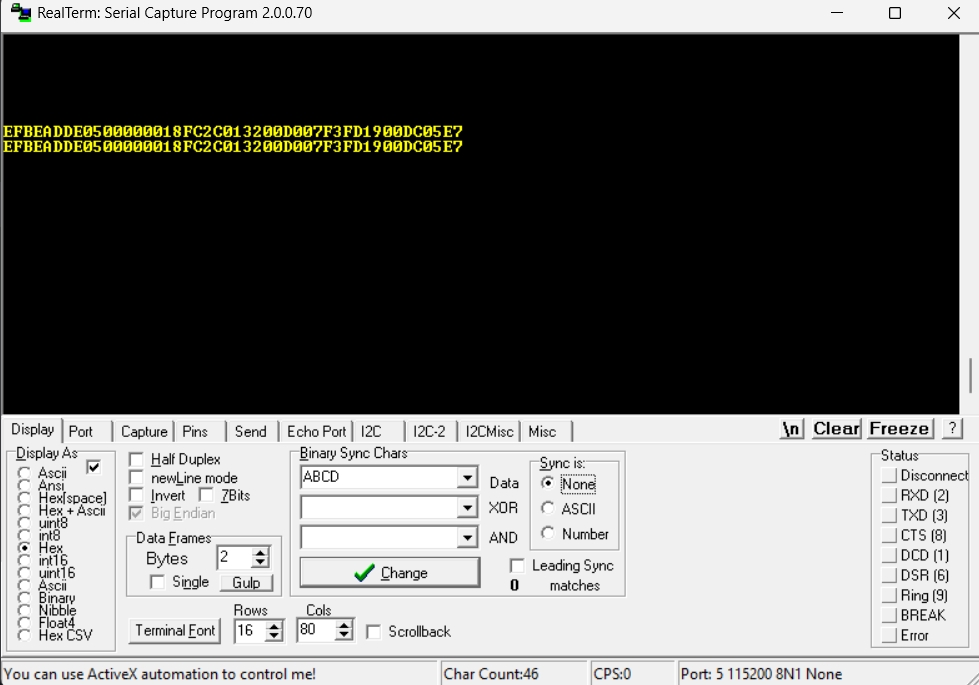
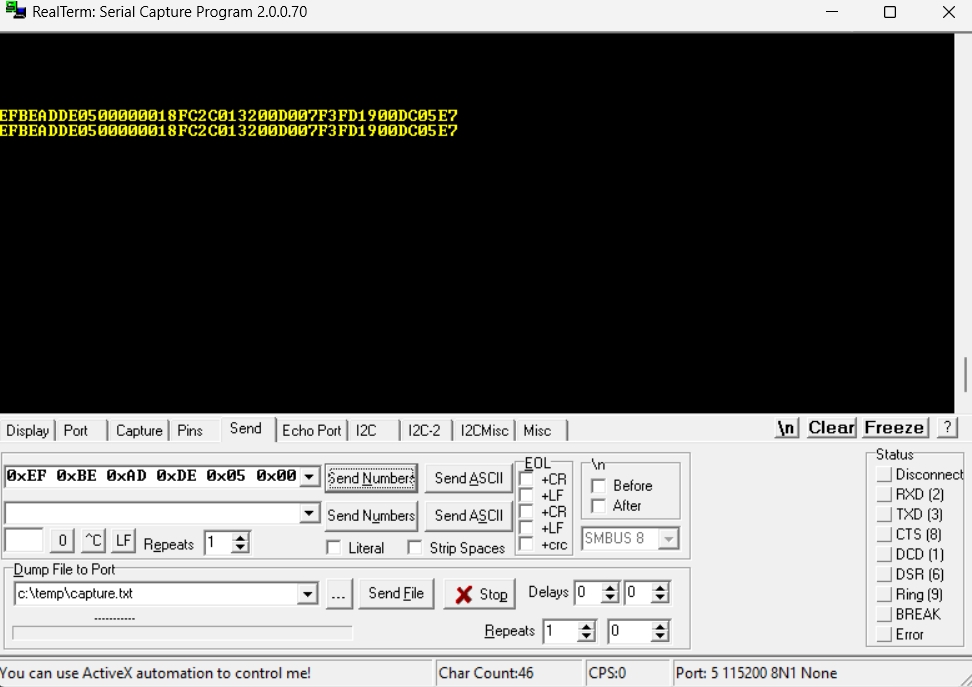
The Command frame consists of the 4-byte preamble (0xDEADBEEF), command ID, mailbox data and the 8-bit CRC, for a total of 27 bytes.
The Command Response frame is solicited; it is generated on each received Command frame from the host.
It consists of the 4-byte preamble (0xDEADBEEF), the Command ID which generated the Command Response frame, the Response ID itself, IMU data, TOF distance data, and the 8-bit CRC, for a total of 23 39 bytes.
It is highly recommended that the Host await the Command Response, before sending any subsequent Command frames.
The CRC appended to the Command and Command Response frames is an 8-bit XOR CRC:
The CRC is computed across the payload data of the frame, EXCLUDING the preamble.
For example: Bytes 4 to 25 of the Command Frame and bytes 4 to 21 of the Command Response Frame.
Can be downloaded
Motor 1 Throttle: 50 %
Motor 2 Throttle: -100%
Sets motors 1-4 to 100 % throttle.
Sets motor 1 to 100 % throttle.
Motor 1: Unchanged
Motor 2 : 100 % throttle for 5 seconds
Motor 3: 50 % throttle, indefinately
Motor 4: -25 % throttle for 10 seconds
BLUE
BLUE
OFF
Paired
BLUE
BLUE
BLUE
BLUE GREEN
Bond Saved
BLUE
BLUE
BLUE
BLUE
Encrypted Pair
GREEN
GREEN
OFF
Paired
19
Data Byte 17
4
Accel Z LSB
int16
5
Accel Z MSB
6
Gyro X LSB
int16
7
Gyro X MSB
8
Gyro Y LSB
int16
9
Gyro Y MSB
10
Gyro Z LSB
int16
11
Gyro Z MSB
12
TOF Distance LSB (mm)
uint16
13
TOF Distance MSB (mm)
14
Reserved
15
Reserved
16
Reserved
17
Reserved
4
Motor 2 Current XLSB
float
5
Motor 2 Current LSB
6
Motor 2 Current MSB
7
Motor 2 Current XMSB
8
Motor 3 Current XLSB
float
9
Motor 3 Current LSB
10
Motor 3 Current MSB
11
Motor 3 Current XMSB
12
Motor 4 Current XLSB
float
13
Motor 4 Current LSB
14
Motor 4 Current MSB
15
Motor 4 Current XMSB
16
Reserved
17
Reserved
0x000D
Peripheral ID, Peripheral State
0x0010
Motor 3 Throttle
0x0011
Motor 4 Throttle
0x0012
Motor 3, Motor 4 Throttles
0x0013
Motor 1, Motor 2, Motor 3, Motor 4 Throttles
0x0014
Throttle and timeout for each motor
0x0015
N/A
0x0016
N/A
0x0017
Left Stick X and Y Dead Zone, Right Stick X and Y Dead Zone
0x0018
Motor 1,2,3 and 4 CSA Gains
0x0019
Enable/Disable
Range: -100 to 100, inclusive
Type: int8
Command Response(s)
MDRDIOPROFILE_CMDRSP_SUCCESS
MDRDIOPROFILE_CMDRSP_INV_PARAM
MDRDIOPROFILE_CMDRSP_FAILURE
Range: -100 to 100, inclusive
Type: int8
Command Response(s)
MDRDIOPROFILE_CMDRSP_SUCCESS
MDRDIOPROFILE_CMDRSP_INV_PARAM
MDRDIOPROFILE_CMDRSP_FAILURE
Range: -100 to 100, inclusive
Type: int8
Byte 1:
Description: Motor 2 Throttle
Range: -100 to 100, inclusive
Type: int8
Command Response(s)
MDRDIOPROFILE_CMDRSP_SUCCESS
MDRDIOPROFILE_CMDRSP_INV_PARAM
MDRDIOPROFILE_CMDRSP_FAILURE
Range:
Supported ID(s)
0x00: MODI
Type: uint8
Byte 1:
Description: Peripheral State
Range:
0 (dec): Peripheral disabled
1 (dec): Peripheral enabled
Type: uint8
Command Response(s)
MDRDIOPROFILE_CMDRSP_SUCCESS
MDRDIOPROFILE_CMDRSP_INV_PARAM
MDRDIOPROFILE_CMDRSP_FAILURE
Range: -100 to 100, inclusive
Type: int8
Command Response(s)
MDRDIOPROFILE_CMDRSP_SUCCESS
MDRDIOPROFILE_CMDRSP_INV_PARAM
MDRDIOPROFILE_CMDRSP_FAILURE
Range: -100 to 100, inclusive
Type: int8
Command Response(s)
MDRDIOPROFILE_CMDRSP_SUCCESS
MDRDIOPROFILE_CMDRSP_INV_PARAM
MDRDIOPROFILE_CMDRSP_FAILURE
Range: -100 to 100, inclusive
Type: int8
Byte 1:
Description: Motor 4 Throttle
Range: -100 to 100, inclusive
Type: int8
Command Response(s)
MDRDIOPROFILE_CMDRSP_SUCCESS
MDRDIOPROFILE_CMDRSP_INV_PARAM
MDRDIOPROFILE_CMDRSP_FAILURE
Range: -100 to 100, inclusive
Type: int8
Byte 1:
Description: Motor 2 Throttle
Range: -100 to 100, inclusive
Type: int8
Byte 2:
Description: Motor 3 Throttle
Range: -100 to 100, inclusive
Type: int8
Byte 3:
Description: Motor 4 Throttle
Range: -100 to 100, inclusive
Type: int8
Command Response(s)
MDRDIOPROFILE_CMDRSP_SUCCESS
MDRDIOPROFILE_CMDRSP_INV_PARAM
MDRDIOPROFILE_CMDRSP_FAILURE
Range: -100 to 100, inclusive
Type: int8
Bytes 1-4:
Description: Motor 1 Timeout
Range: -1, 0 to 2^31, inclusive
0 (dec): Motor throttle is applied indefinitely
-1 (dec): Current motor state remains unchanged
Type: int32
Byte 5:
Description: Motor 2 Throttle
Bytes 6-9:
Description: Motor 2 Timeout
Byte 10:
Description: Motor 3 Throttle
Bytes 11-14:
Description: Motor 3 Timeout
Byte 15:
Description: Motor 4 Throttle
Bytes 16-19:
Description: Motor 4 Timeout
Command Response(s)
MDRDIOPROFILE_CMDRSP_SUCCESS
MDRDIOPROFILE_CMDRSP_INV_PARAM
MDRDIOPROFILE_CMDRSP_FAILURE
Range: 0 to 2^16 -1
Type: uint16
Bytes 2-3:
Description: Left Stick Y Dead Zone (+/-)
Range: 0 to 2^16 -1
Type: uint16
Bytes 4-5:
Description: Right Stick X Dead Zone (+/-)
Range: 0 to 2^16 -1
Type: uint16
Bytes 6-7:
Description: Right Stick Y Dead Zone (+/-)
Range: 0 to 2^16 -1
Type: uint16
Command Response(s)
MDRDIOPROFILE_CMDRSP_SUCCESS
MDRDIOPROFILE_CMDRSP_INV_PARAM
MDRDIOPROFILE_CMDRSP_FAILURE
Range:
0x00: 0.25 V/A (+/- 6.6 A max current)
0x01: 0.5 V/A (+/- 3.3 A max current)
0x02: 1.0 V/A (+/- 1.65 A max current)
0x03: 2.0 V/A (+/- 825 mA max current)
Type: uint8
Byte 1:
Description: Motor 2 CSA Gain
Range: See above
Type: uint8
Byte 2:
Description: Motor 3 CSA Gain
Range: See above
Type: uint8
Byte 3:
Description: Motor 4 CSA Gain
Range: See above
Type: uint8
Command Response(s)
MDRDIOPROFILE_CMDRSP_SUCCESS
MDRDIOPROFILE_CMDRSP_INV_PARAM
MDRDIOPROFILE_CMDRSP_FAILURE
Range: If 1 (dec), telemetry is enabled. If 0 (dec), telemetry is disabled.
Type: uint8
Command Response(s)
MDRDIOPROFILE_CMDRSP_SUCCESS
MDRDIOPROFILE_CMDRSP_FAILURE
MDRDIOPROFILE_CMDRSP_FAILURE
0x00FF
Generic failure
Endianness: Little (LSB first)
4
Command LSB
5
Command MSB
6
Mailbox Byte 0
...
...
25
Mailbox Byte 19
26
8-bit CRC
4
Command LSB
5
Command MSB
6
Response LSB
7
Response MSB
8
Accel X LSB
int16
9
Accel X MSB
10
Accel Y LSB
int16
11
Accel Y MSB
12
Accel Z LSB
int16
13
Accel Z MSB
14
Gyro X LSB
int16
15
Gyro X MSB
16
Gyro Y LSB
int16
17
Gyro Y MSB
18
Gyro Z LSB
int16
19
Gyro Z MSB
20
TOF Distance LSB
uint16
21
TOF Distance MSB
22
Motor 1 Current XLSB
float
23
Motor 1 Current LSB
24
Motor 1 Current MSB
25
Motor 1 Current XMSB
26
Motor 2 Current XLSB
float
27
Motor 2 Current LSB
28
Motor 2 Current MSB
29
Motor 2 Current XMSB
30
Motor 3 Current XLSB
float
31
Motor 3 Current LSB
32
Motor 3 Current MSB
33
Motor 3 Current XMSB
34
Motor 4 Current XLSB
float
35
Motor 4 Current LSB
36
Motor 4 Current MSB
37
Motor 4 Current XMSB
38
8-bit CRC
BLUE
OFF
OFF
OFF
Idle
BLUE
BLUE
OFF
OFF
Scanning
GREEN
OFF
OFF
OFF
Idle
GREEN
GREEN
OFF
OFF
Advertising
0
Packet ID
Describes the contents of the Data Byte Field
1
Packet Index
Rolling counter. Packets with equal Packet Indices are from the same sample interval
2
Data Byte 0
Refer to dedicated section
...
0
Accel X LSB
int16
1
Accel X MSB
2
Accel Y LSB
int16
3
Accel Y MSB
0
Motor 1 Current XLSB
float
1
Motor 1 Current LSB
2
Motor 1 Current MSB
3
Motor 1 Current XMSB
0x0003
Motor 1 Throttle
0x0004
Motor 2 Throttle
0x0005
Motor 1, Motor 2 Throttles
0x0007
MDRDIOPROFILE_CMDRSP_SUCCESS
0x0000
Generic success
MDRDIOPROFILE_CMDRSP_BUSY
0x0001
System busy with previous command
MDRDIOPROFILE_CMDRSP_INV_PARAM
0x00FD
Invalid command parameter(s)
MDRDIOPROFILE_CMDRSP_INV_CMD
0x00FE
Invalid command
0
Preamble XLSB
0xEF
1
Preamble LSB
0xBE
2
Preamble MSB
0xAD
3
Preamble XMSB
0
Preamble XLSB
0xEF
1
Preamble LSB
0xBE
2
Preamble MSB
0xAD
3
Preamble XMSB
BLUE
GREEN
N/A
0xDE
0xDE
float_t lsm6dsox_from_fs8_to_mg(int16_t lsb)
{
  return ((float_t)lsb) * 0.244f;  // mg
}float_t lsm6dsox_from_fs500_to_mdps(int16_t lsb)
{
return ((float_t)lsb) * 17.50f; // mdps
}static uint8_t calculate_xor_crc(uint8 *data, int length)
{
uint8_t crc = 0;
for (int i = 0; i < length; i++)
{
crc ^= data[i];
}
return crc;
}// calculate_xor_crc0xEF 0xBE 0xAD 0xDE 0x05 0x00 0x32 0x9C 0x00 0x00 0x00 0x00 0x00 0x00 0x00 0x00 0x00 0x00 0x00 0x00 0x00 0x00 0x00 0x00 0x00 0x00 0xAB0xEF 0xBE 0xAD 0xDE 0x13 0x00 0x64 0x64 0x64 0x64 0x00 0x00 0x00 0x00 0x00 0x00 0x00 0x00 0x00 0x00 0x00 0x00 0x00 0x00 0x00 0x00 0x130xEF 0xBE 0xAD 0xDE 0x07 0x00 0x00 0x00 0x00 0x00 0x00 0x00 0x00 0x00 0x00 0x00 0x00 0x00 0x00 0x00 0x00 0x00 0x00 0x00 0x00 0x00 0x070xEF 0xBE 0xAD 0xDE 0x03 0x00 0x64 0x00 0x00 0x00 0x00 0x00 0x00 0x00 0x00 0x00 0x00 0x00 0x00 0x00 0x00 0x00 0x00 0x00 0x00 0x00 0x670xEF 0xBE 0xAD 0xDE 0x14 0x00 0x00 0xFF 0xFF 0xFF 0xFF 0x64 0x88 0x13 0x00 0x00 0x32 0x00 0x00 0x00 0x00 0xE7 0x10 0x27 0x00 0x00 0x090xEF 0xBE 0xAD 0xDE 0x15 0x00 0x00 0x00 0x00 0x00 0x00 0x00 0x00 0x00 0x00 0x00 0x00 0x00 0x00 0x00 0x00 0x00 0x00 0x00 0x00 0x00 0x15